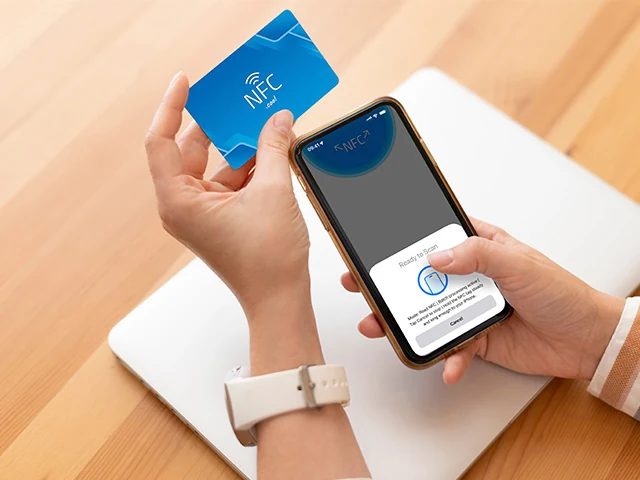
A lot of the technology we use every day disappears into the background. We tap to pay, unlock, scan, share - and never think about the protocol underneath. NFC is one of those quiet pieces of plumbing. Here’s how it actually works on your iPhone.
What NFC actually is
Near Field Communication is a short-range wireless protocol - two devices can exchange data when they’re within about 4 cm of each other. It’s a simplified, much shorter-range cousin of Bluetooth and Wi-Fi.
That short range isn’t a limitation. It’s the security model. You can’t accidentally tap a payment terminal from across the room, and a malicious reader can’t quietly siphon data out of your wallet at a distance.
NFC on iPhone: a short history
Apple shipped NFC hardware for the first time with the iPhone 6 and 6 Plus in 2014, but the radio was locked down to Apple Pay only. Third-party apps couldn’t read NFC tags at all.
That changed with iOS 11 (2017), which introduced the Core NFC framework and let developers read NDEF tags. Apple kept tightening the loop in later releases - iOS 13 added writing support, and iPhone XS and newer added always-on background tag reading. Today, on any modern iPhone, you can tap a tag without opening anything: the OS recognises it and offers the right action.
How NFC actually moves data
NFC devices operate in one of two roles per interaction: active (powered, generates a field) or passive (no battery, harvests power from the field).
When you make an Apple Pay payment, your iPhone is the active reader. It generates a radio field at 13.56 MHz. The payment terminal’s NFC element wakes up inside that field, identifies itself, and exchanges a small amount of cryptographic payload with your phone. Your card data never leaves the Secure Element - a dedicated, hardware-isolated chip on the phone. What goes out is a one-time token.
When you tap an NFC sticker on a poster, the roles flip. The poster’s tag is passive - it has no battery. Your iPhone’s reader powers it, the tag responds with whatever NDEF records are stored on it, and iOS decides what to do (open a URL, launch an app, show a contact card, trigger a Shortcut).
NDEF: the lingua franca
The data layer on top of the NFC radio is NDEF - NFC Data Exchange Format. It’s a tiny self-describing record format: a tag carries one or more records, and each record has a type (URI, text, vCard, Wi-Fi credentials, custom MIME) and a payload.
Every NFC-capable phone on the planet speaks NDEF, which is why a tag programmed on an Android device will read fine on an iPhone and vice versa. It’s one of the few places in mobile where iOS and Android genuinely share a standard.
Privacy and security
Two layers of defence are worth mentioning:
Range. A few centimetres is hard to intercept without a noticeable antenna - this is the original threat model NFC was designed around.
Tokenisation. Apple Pay never transmits your real card number. Each transaction uses a Device Account Number plus a one-time cryptogram, generated inside the Secure Element. Even a compromised terminal can’t replay it.
For tag reading, the threat surface is different - the tag is the thing being trusted. If you control what’s on the tag (your own home automations, your business card), you’re fine. If you tap a random tag in a public space, you should still see a confirmation prompt in iOS before anything happens.
Why this matters
NFC is one of those protocols that disappears when it works. You tap a turnstile, a payment terminal, a business card, a smart speaker - and something happens. There’s no pairing, no PIN, no app launch. Just a deliberate physical gesture that authorises one specific exchange.
That’s why we built NFC.cool Tools - to make the full NDEF surface of NFC available without having to learn the protocol. Read any tag, write any record type, lock a tag when you’re done. On iPhone or Android.